Choose your photos
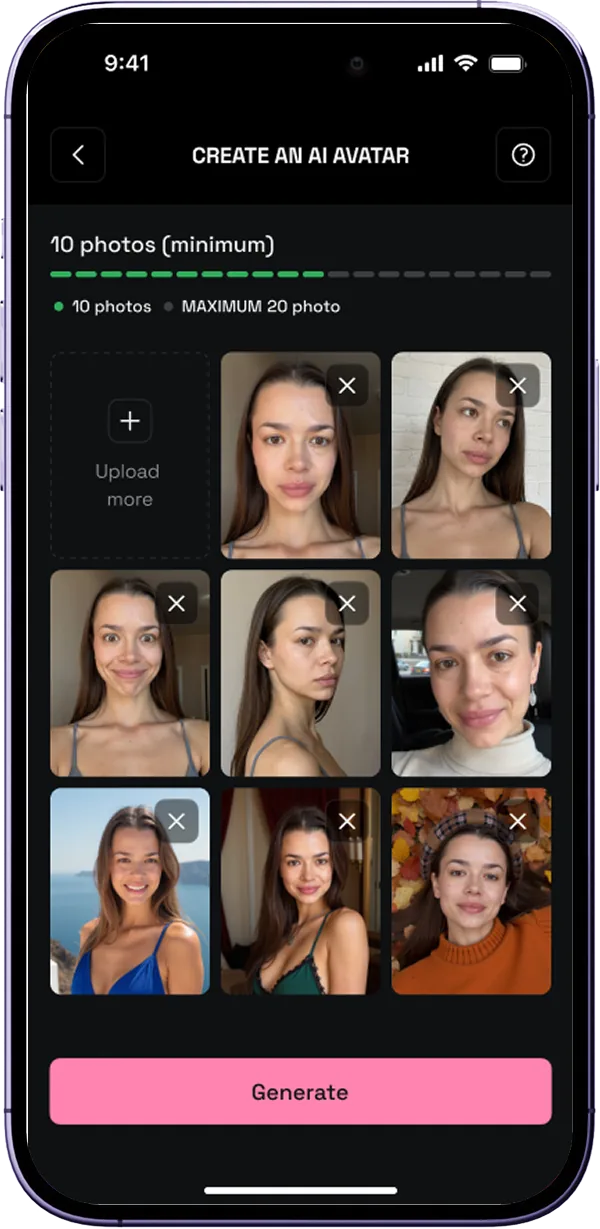
Pick 10 to 20 clear solo pictures. Different angles and expressions help show your appearance.
LUMPIX / YOUR AI AVATAR
Make a personal AI avatar you can return to for fresh looks. Begin with a set of good photos of yourself.
THE STORY
The avatar is a separate mode in Lumpix. Upload at least 10 and at most 20 solo photos from different angles. Once trained, the avatar can be used for new looks. It is useful when you want to keep exploring portraits without picking a fresh source photo for every idea.
02 / 03
Pick 10 to 20 clear solo pictures. Different angles and expressions help show your appearance.
Upload them in the app and start training your personal AI avatar.
When your avatar is ready, use it in photo generations and supported video modes.
03 / 03
Choose pictures where your face is clearly visible without heavy editing. Avoid group shots, obscured faces and AI-generated images. The source material affects how the result looks. If you want to try an idea right away, start with a quick look from one photo.
FAQ
They help the app prepare a personal avatar based on your appearance for future looks.
The app recommends solo photos with a visible face. It is best to leave out group and heavily edited shots.